cv-to-portfolio
An open-source Claude Code skill that turns your CV into a fast, privacy-first portfolio website, ready to deploy.
From the README
cv-to-portfolio
Turn your CV into a fast, private, beautiful portfolio website in one conversation with Claude Code.
Give it a CV (PDF, DOCX, ODT, Markdown or pasted text) and, optionally, a GitHub username. You get a one-page static site with no build step, ready to deploy to Vercel, Netlify or GitHub Pages in a minute.
Live demo → · Bold · Editorial · العربية (RTL) · Printable CV
The people in the demo are fictional.
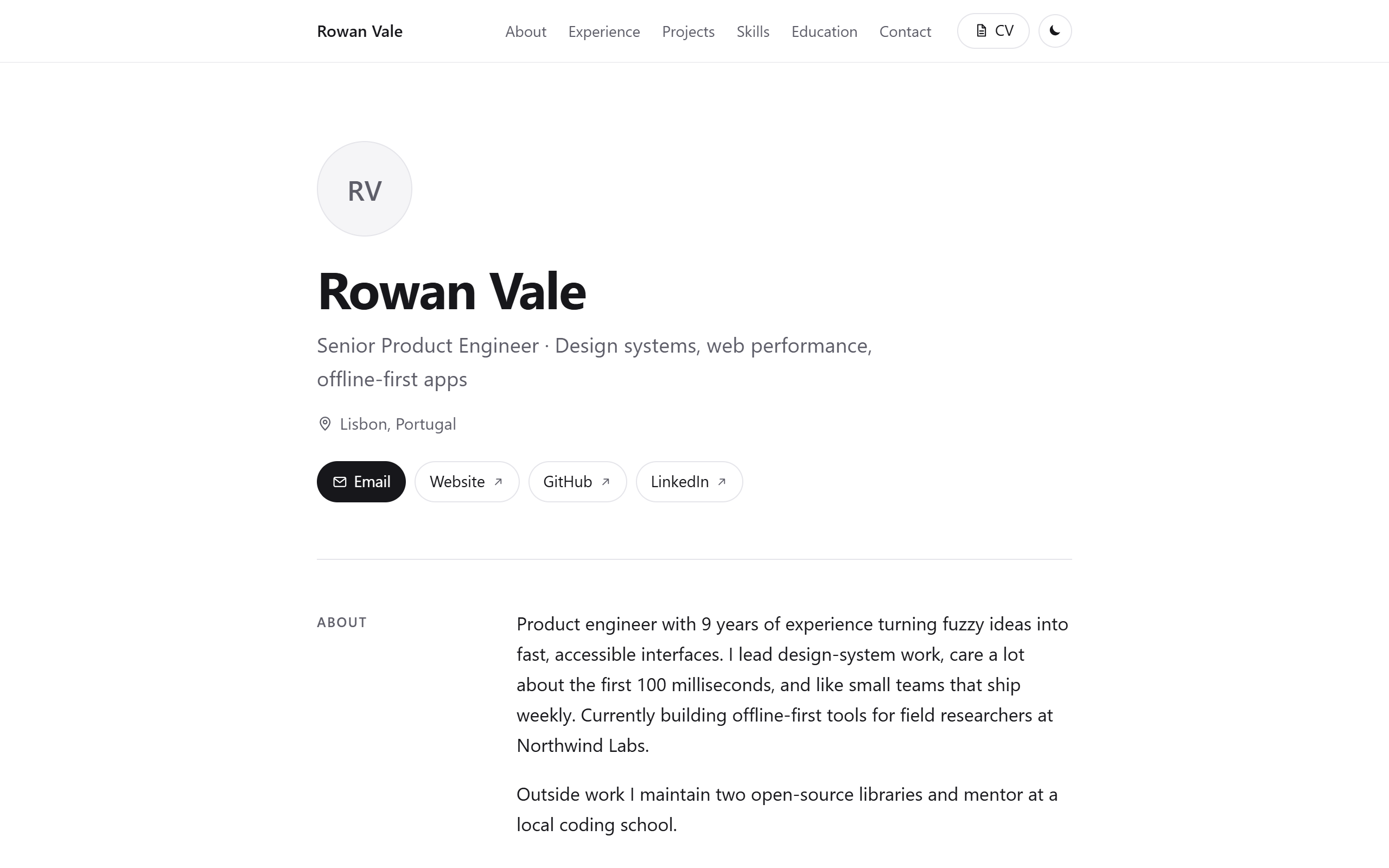
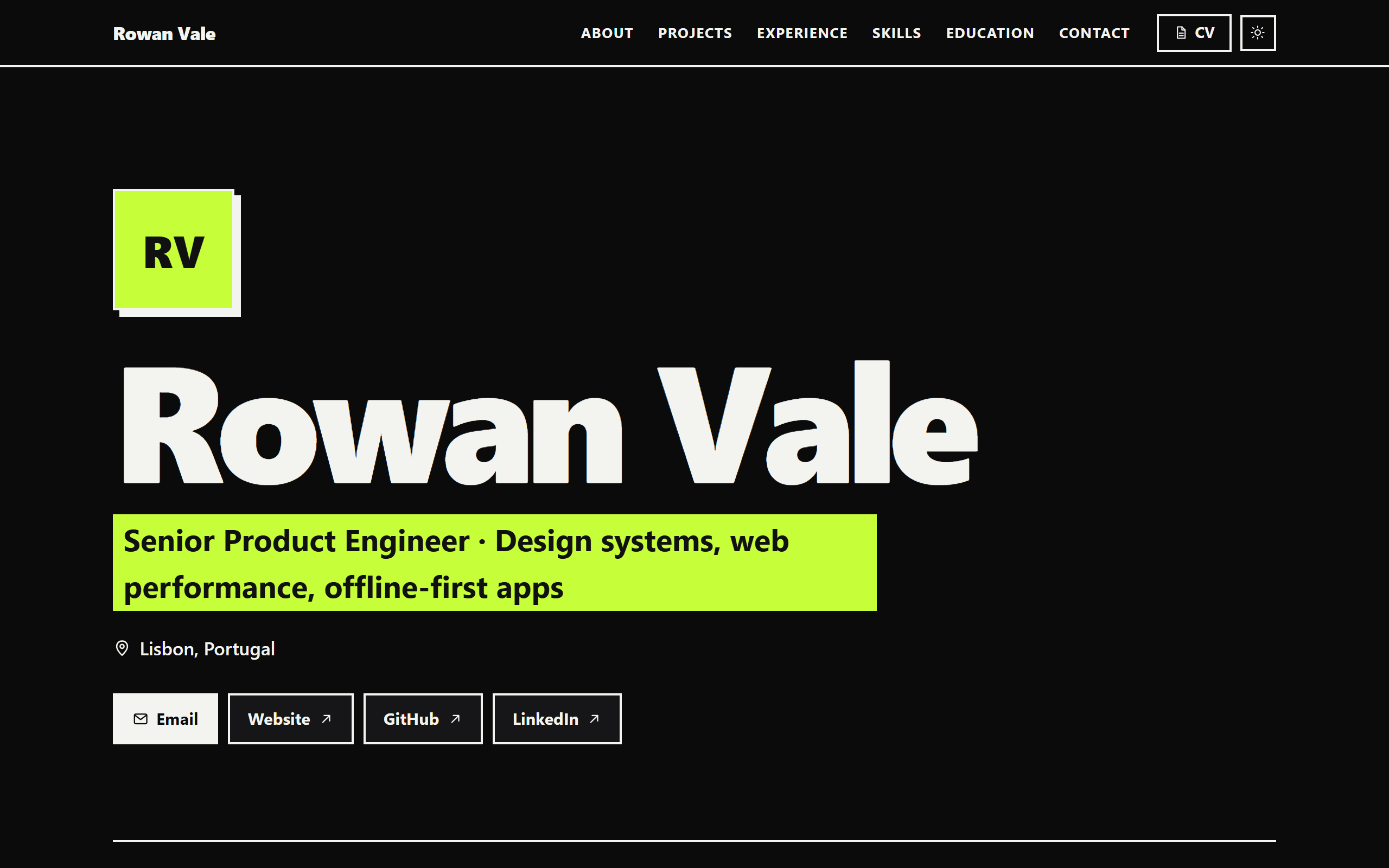
| Minimal | Bold (dark mode) |
|---|---|
 |  |
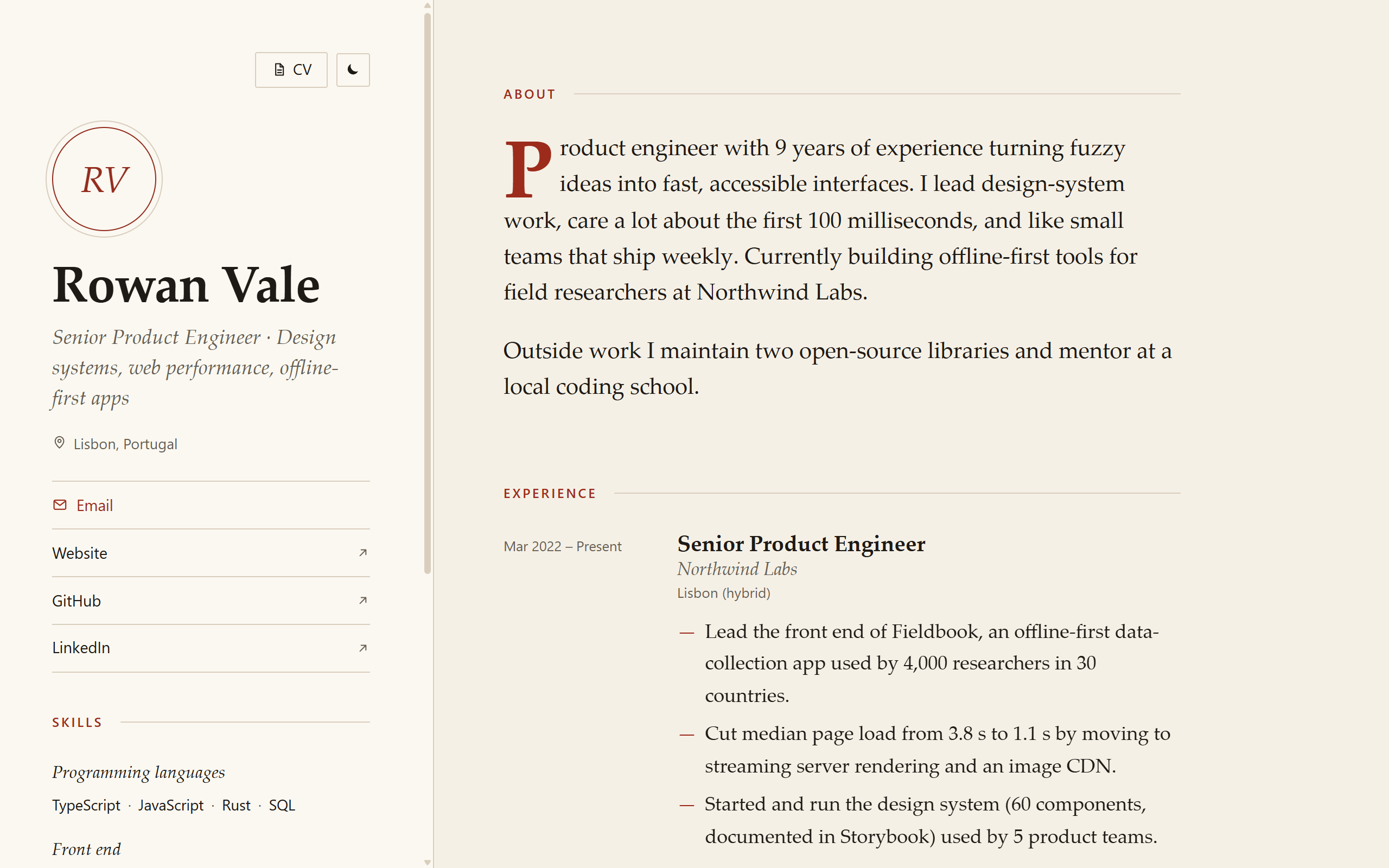
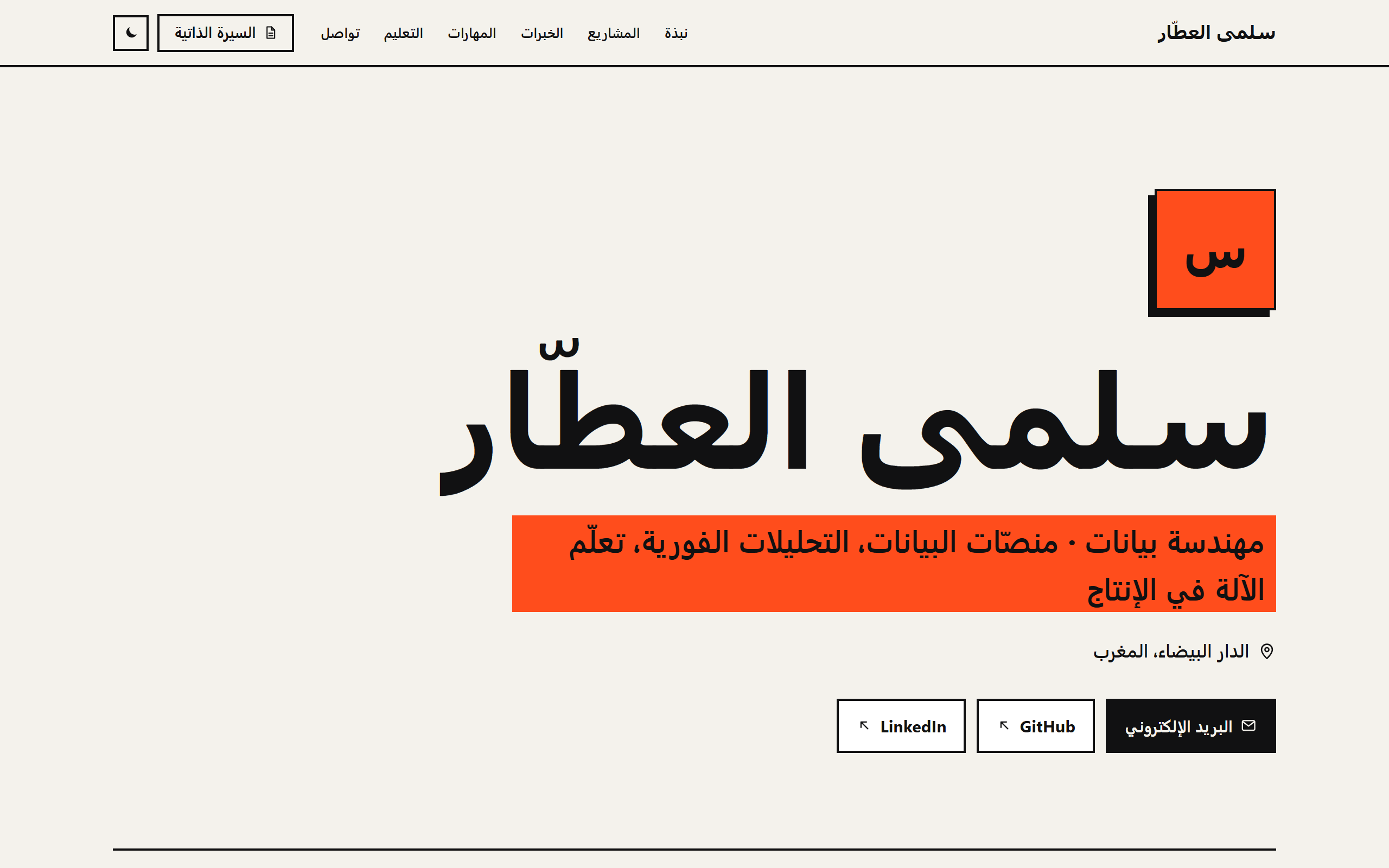
| Editorial | Arabic, right-to-left |
 |  |
What you get
- 3 distinct themes.
minimal,boldandeditorial, each with light and dark mode that follows the system and has a toggle. - Private by default.
- Phone, home address, birth date and ID or passport numbers are left out unless you explicitly opt in.
- The build also scans the text for leaks.
- GitHub projects. It pulls your pinned and most-starred public repos, with stars and language, from the public API. No token is needed.
- SEO ready.
- Meta description, canonical URL, Open Graph and Twitter cards.
- JSON-LD
Person,sitemap.xmlandrobots.txt.
- A printable CV.
cv.htmlis a clean A4 page. Press "Print / Save as PDF". - RTL. Arabic, Hebrew, Persian and Urdu CVs render right-to-left, with native labels, fonts and dates. 8 UI languages are built in.
- Fast and accessible.
- One HTML file per page with inlined CSS, about 25 kB, and 0.6 kB of JavaScript.
- No fonts, trackers or CDNs.
- Lighthouse scores 100 for Accessibility, Best Practices and SEO on every theme.
- Zero dependencies. The scripts use only Node.js 18+ built-ins and are covered by
node --test.
Install
As a plugin (recommended)
Inside Claude Code:
/plugin marketplace add miraya-dev/cv-to-portfolio
/plugin install cv-to-portfolio@cv-to-portfolio
Manually, as a personal skill
git clone https://github.com/miraya-dev/cv-to-portfolio
cp -r cv-to-portfolio/skills/cv-to-portfolio ~/.claude/skills/
On Windows (PowerShell): Copy-Item -Recurse cv-to-portfolio\skills\cv-to-portfolio $HOME\.claude\skills\
Requires Node.js 18 or newer.
Use it
Just ask, in any project folder:
Turn my CV into a portfolio website: ~/Downloads/cv.pdfMake me a personal site from resume.docx, use the bold theme, and add my GitHub projects (username: octocat)Here is my CV, build a portfolio in Arabic with the editorial theme: <paste text>Update my portfolio: add my new job at Acme and rebuildYou can also call the skill directly: /cv-to-portfolio:cv-to-portfolio as a plugin, or /cv-to-portfolio as a manual install.
What happens:
- Claude reads the CV and writes
portfolio/profile.json. Private details are dropped, and nothing is invented. - It asks once, only for what's missing: theme, GitHub username, and whether to show anything that was left out.
- It optionally imports your GitHub repos.
- It builds
portfolio/dist/and checks the result. - It tells you what was left out and how to deploy.
Privacy
A CV goes to one recruiter. A website goes to everyone, including scrapers. So:
| Left out by default | Kept |
|---|---|
| Phone, home address, date of birth, ID or passport numbers, nationality, marital status, referees, salary | Name, headline, city and country, email, links, experience, education, skills, projects, languages |
- Opt in on request. Want your phone on the site? Say so. It goes into
privacy.optIn, and nothing else is published. - Two layers of protection. Even if a sensitive field ends up in
profile.json, the renderer skips it unless it is opted in.build.mjs --strictfails if free text looks like a phone number, an ID, a birth date or an address. - Email. It is entity-encoded and kept out of JSON-LD.
- No third-party requests. No fonts, analytics, trackers or CDNs.
- Stay out of search.
site.noindex: truekeeps the site out of search results if you only want to share the link.
See references/privacy.md for the full rules.
Deploy
portfolio/dist/ is plain static files. Pick one:
npx vercel deploy portfolio/dist --prod                 # Vercel
npx netlify-cli deploy --dir portfolio/dist --prod      # Netlify (or drag the folder onto app.netlify.com/drop)
npx wrangler pages deploy portfolio/dist                # Cloudflare Pages
For GitHub Pages, copy the contents of dist/ into a repo named <username>.github.io, or use the workflow in references/deploy.md.
After the first deploy, set site.url in profile.json and rebuild, so the canonical URL, Open Graph tags and sitemap point at your real address.
Use the scripts without Claude
Everything Claude runs is a plain Node script, so you can use it directly:
S=skills/cv-to-portfolio/scripts
node $S/extract-text.mjs cv.docx                           # DOCX/ODT/TXT/MD to text (read PDFs with Claude or pdftotext)
node $S/github.mjs octocat --profile profile.json          # add pinned and top public repos to profile.json
node $S/build.mjs profile.json --theme editorial           # write dist/
node $S/build.mjs profile.json --theme all --out preview   # all themes side by side
node $S/build.mjs --list-themes
Already have a JSON Resume? build.mjs accepts it as-is.
The profile.json format is documented in references/profile-format.md.
How it's built
skills/cv-to-portfolio/
├── SKILL.md                 # the lean workflow Claude follows
├── references/              # loaded only when needed (progressive disclosure)
│   ├── profile-format.md    # profile.json fields and extraction rules
│   ├── privacy.md           # what stays out, how opt-in works
│   ├── design.md            # themes, copywriting, accessibility, customising
│   └── deploy.md            # Vercel, Netlify, GitHub Pages, Cloudflare
├── templates/               # minimal/, bold/, editorial/ (page.html + theme.css) and _shared/
└── scripts/                 # build.mjs, github.mjs, extract-text.mjs, lib/ (zero dependencies)
The demo in examples/ was made by running the skill on two fictional CVs, rowan-vale/cv.md and salma-alattar/cv.md. Their phone numbers, addresses, birth dates and ID numbers were correctly left out.
examples/demo-site/ is the deployed output.
Limitations
- Scanned PDFs. Image-only CVs have no text layer. Paste the text or export a text PDF instead.
.doc,.pagesand.rtffiles need exporting to PDF or DOCX first. - One page. There is no blog, case-study pages or contact form. Use the generated site as a starting point if you need more.
- Pinned repos. GitHub's REST API doesn't expose them, so they are read from the public profile page on a best-effort basis. If that fails, the top repos by stars are used.
- No token. The unauthenticated GitHub API allows 60 requests per hour.
GITHUB_TOKENis used if set. - Social preview image. No image is generated. deploy.md shows how to add one.
- Extraction quality. Results depend on the CV. Claude asks rather than guesses, but always proofread names, dates and links before publishing.
Contributing
Bug reports, new UI languages and new themes are welcome. See CONTRIBUTING.md. Run the tests with node --test.
Credits
Built by Miraya, a small studio making useful things for the web. If this saved you an afternoon, a ⭐ helps others find it.
MIT License © 2026 Moncef El hirech (Miraya)